

Be the first to comment
 Flip Duel
 Soccer Random
 Clicker Verity
 Pixel Path
 Flip Physics
 Soccer Kick
 Eaglercraft
 Veck.io
 Wheelie Spooky
 Wheelie Popper
 Hockey Bros
 Escape Road 3
 Rooftop Flip
 Obby: Spider +1!
 Verity Game
 Street Rider
 FallZone.io
 8 Ball Pool Challenge
 Stunt Bike Extreme
 Drift Masters
 DONT SPLASH
 Friday Night Funkin
 BMX Stunts 3D
 Save the Doge
 Granny Horror 3Drift Masters
 Claw Master - Roguelike HeroWheelie SpookySoccer RandomSoccer KickObby: Spider +1!Rooftop FlipFallZone.ioPixel Path
 Wacky Walk
 Steal an Egg and RunFlip PhysicsFriday Night FunkinEscape Road 3
 Backrooms CraftSave the Doge8 Ball Pool Challenge
 Stumble Boys: Party Royale
 Bloxd.ioVeck.io
 Retro Rush
 Red BallEaglercraftVerity Game
 City Hero
 ASMR Tower: +1 Jump!
 Crazy Cattle 3D
 Obby: Steal an Egg - The Great Escape
 Turball.io
 Eraly
 Dragon: Sky Ruler
 Gravity Flip
 Zombie Hill RacingBMX Stunts 3DStreet RiderWheelie PopperHockey Bros
 Hustle & Drift in ZIL
 Bike BrosDONT SPLASH
 Tower Smash: Can Blaster
 Police Chase: Cops vs Criminals
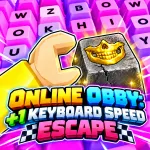 Online Obby: +1 Keyboard Speed Escape
 Tabs 2.0
 BlockCraft
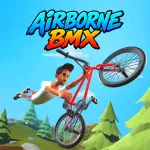 Airborne BMX
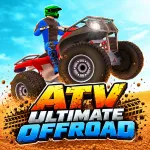 ATV Ultimate OffRoad
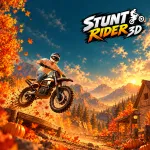 Stunt Rider 3D